Do you find working with databases a hassle? Do you sometimes manually compare databases to find missing tables/stored procedures, or columns that should not be there? Then I have the perfect tool for you!
RedGate Sql Compare
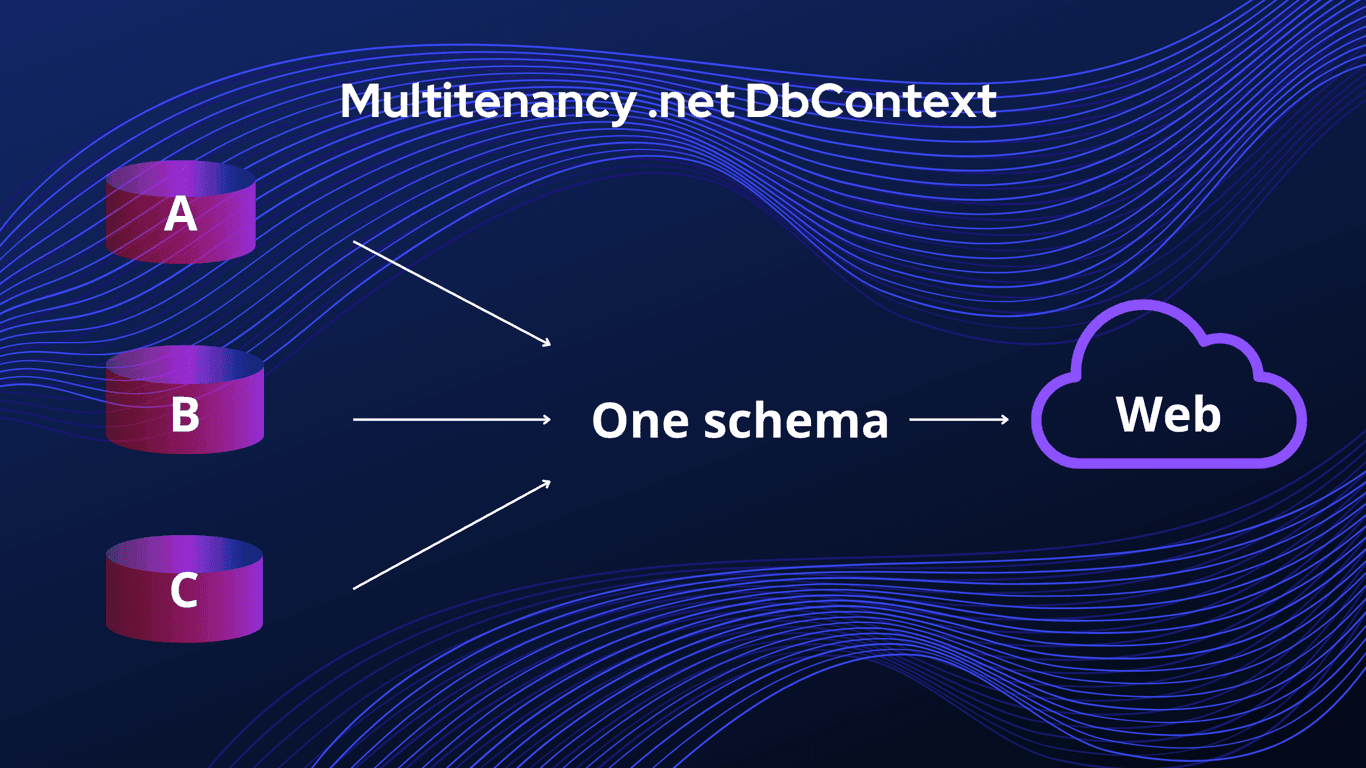
This tool makes comparing SQL Server schemas super simple. I use it often at work when we are rolling out updates to our production environment. Our production environment consists of separate databases per customer, where they all share the same infrastructure. This is known as multitenancy, you can read my article about it here: https://blog.hjelle.dev/blog/multitenancy-and-net-dbcontext
It is excellent for simple comparisons (and complex ones), and very handy. In just a few steps you can go from finding differences, select the ones you want to mitigate and either run your script directly or just copy it for your next step (RedGate Multiscript?).
Get NordVPN - the best VPN service for a safer and faster internet experience. Get up to 77% off + 3 extra months with a 2-year plan! Take your online security to the next level

This is an affiliate link. I may earn a commission when you click on it and make a purchase at no extra cost to you.
Getting started
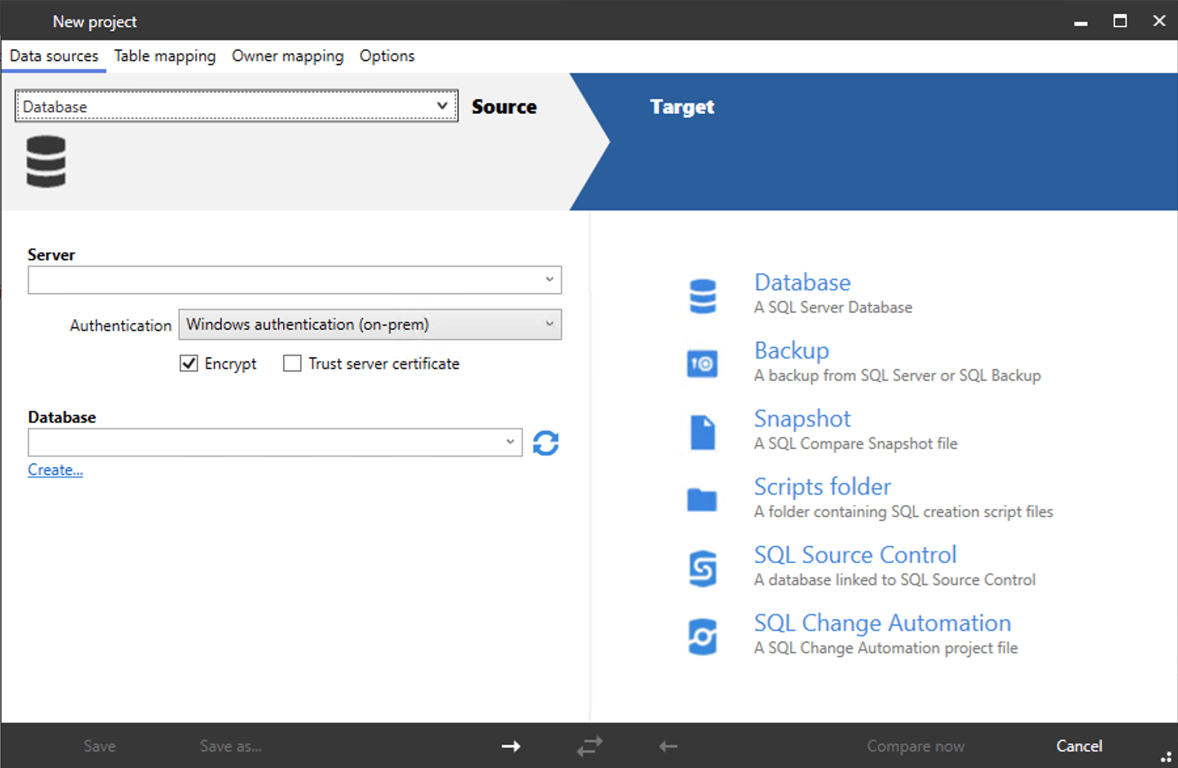
The first step is selecting your sources. Sources could be a database, be it Microsoft Sql Server, Azure Sql or others (check RedGate pages for full list). You can also compare backups, snapshots and scripts ++. I have only used it for database and backup comparisons, and it works like a charm.
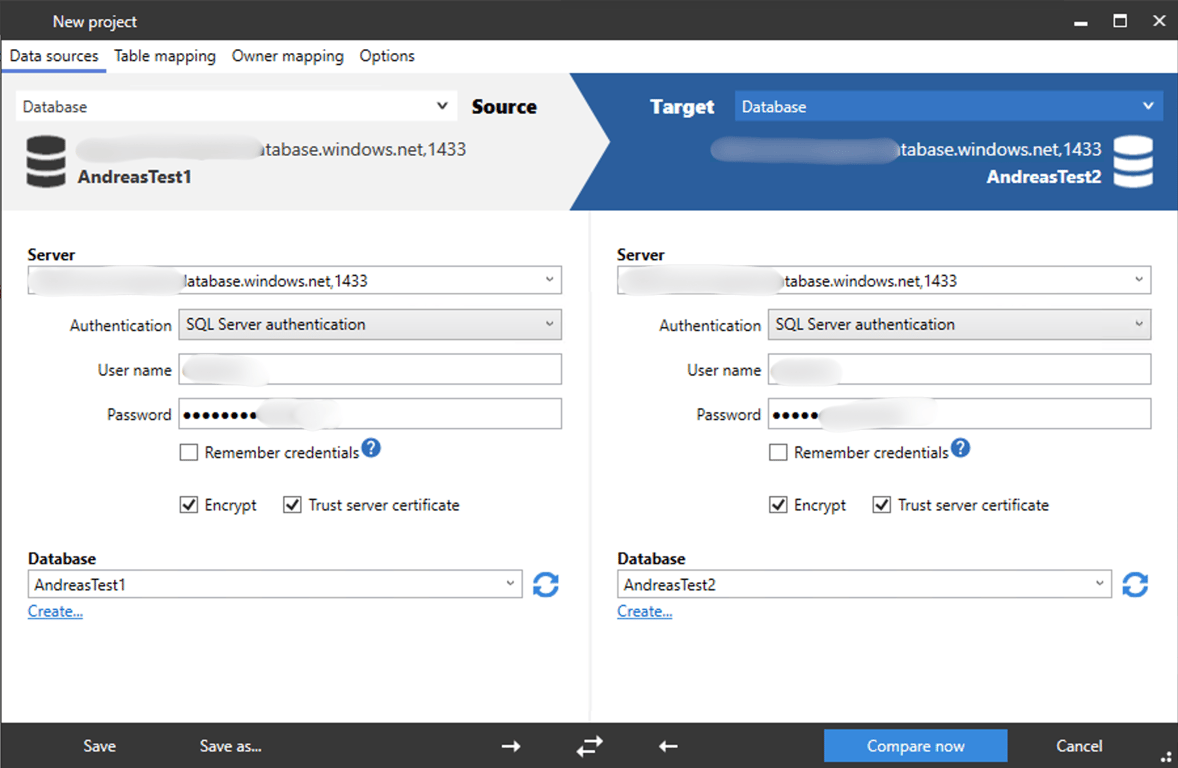
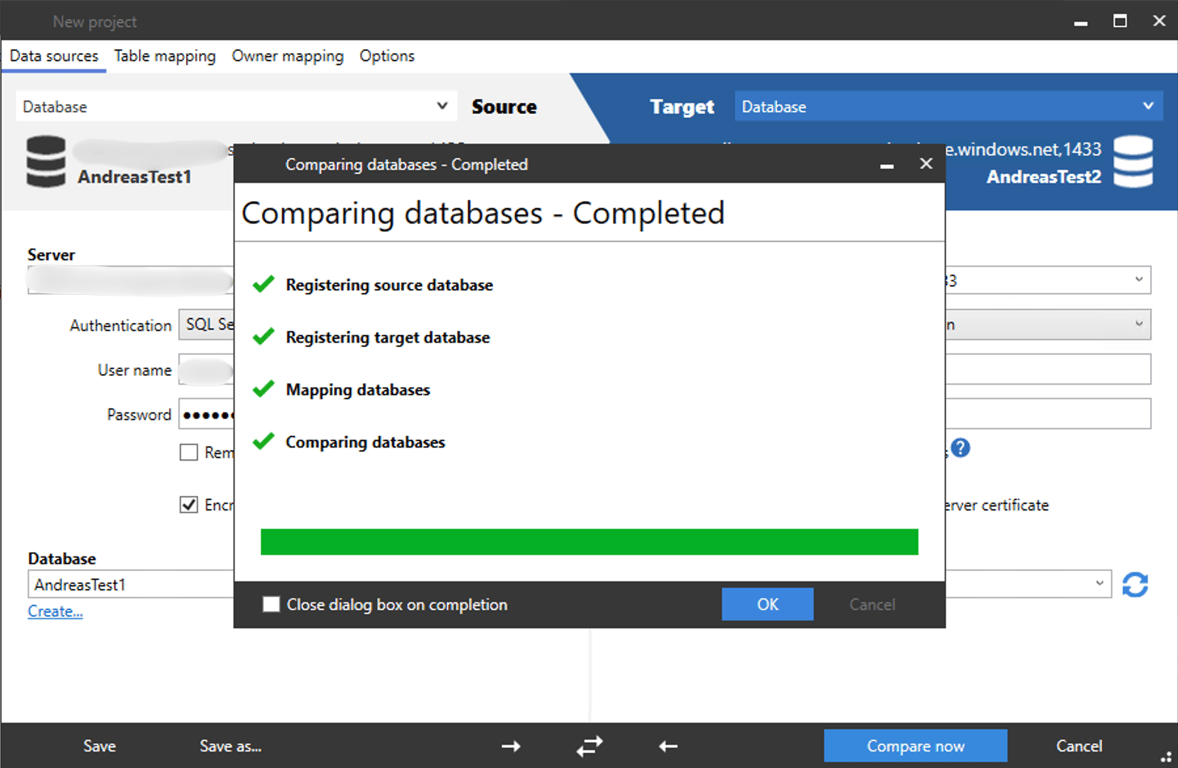
In this case we will connect to Azure SQL databases running in Azure, using SQL Server authentication. I have created two databases with similar, but not the same schemas.
Get NordPass – a secure, fast password manager to simplify your online life.
- Individual: 2‑year + 3 extra months — 66% off; 1‑year + 3 extra months — 53% off
- Family: 2‑year — 68% off; 1‑year — 61% off
Secure your passwords today.

This is an affiliate link. I may earn a commission when you click on it and make a purchase at no extra cost to you.
Click «Compare now»
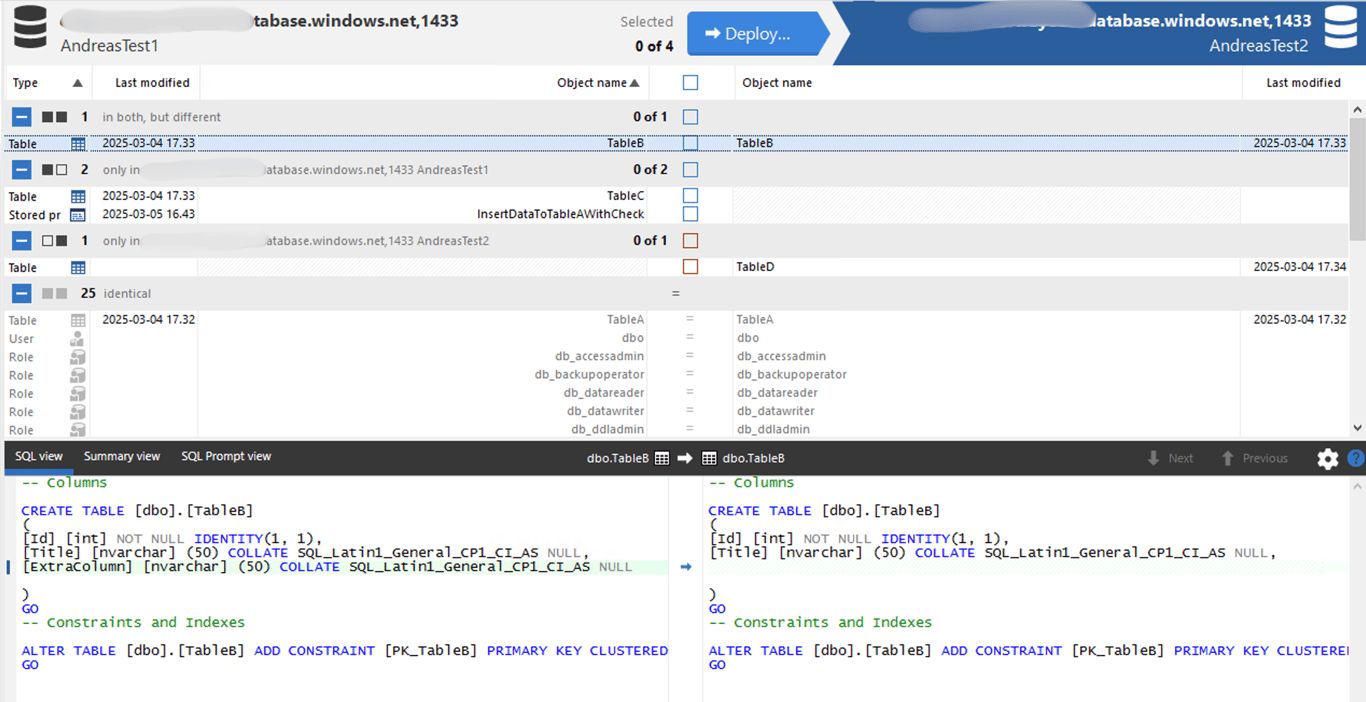
I have 4 tables.
TableA : has same schema in AndreasTest1 and AndreasTest2
TableB: Exists in both, but has an extra column in AndreasTest1
TableC: Exists only in AndreasTest1
TableD: Exists only in AndreasTest2
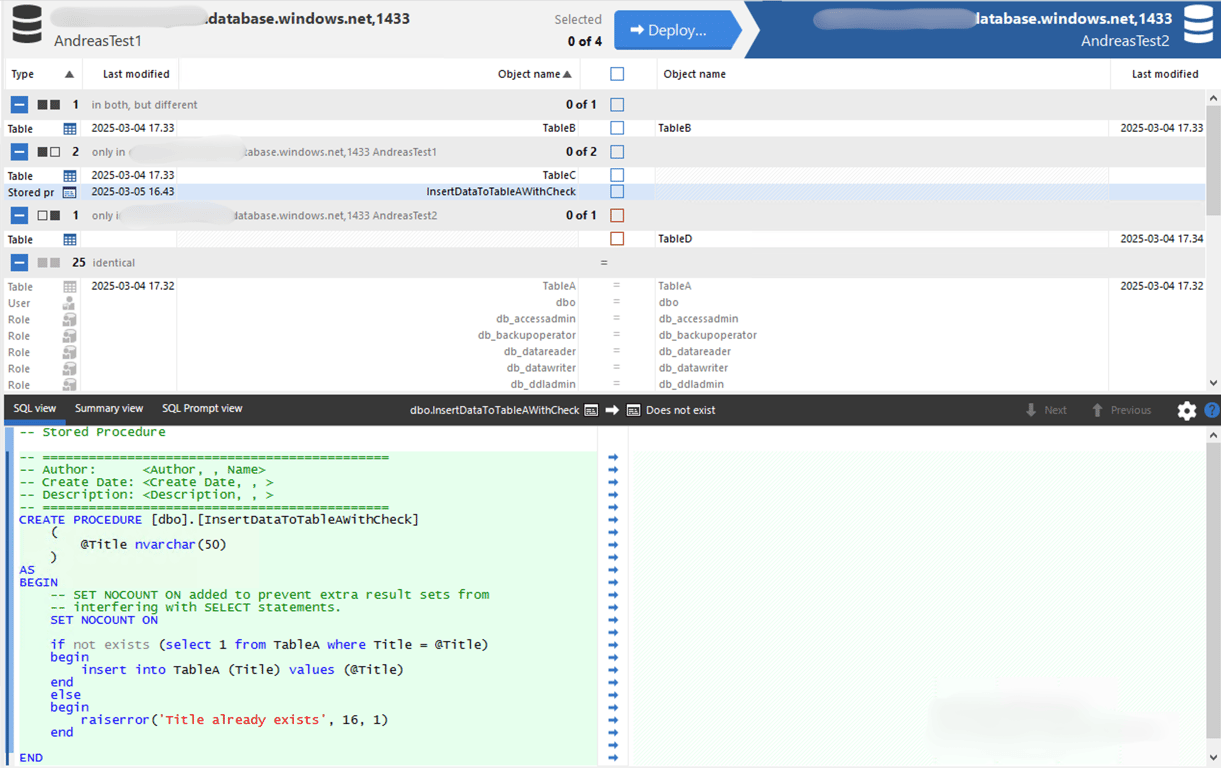
InsertDataToTableAWithCheck (Stored procedure): Exists only in AndreasTest1
You can click on each difference/row to see the differences. When I click on InsertDataToTableAWithCheck we can see that it shows it as a «CREATE PROCEDURE» and displays the contents of the procedure.
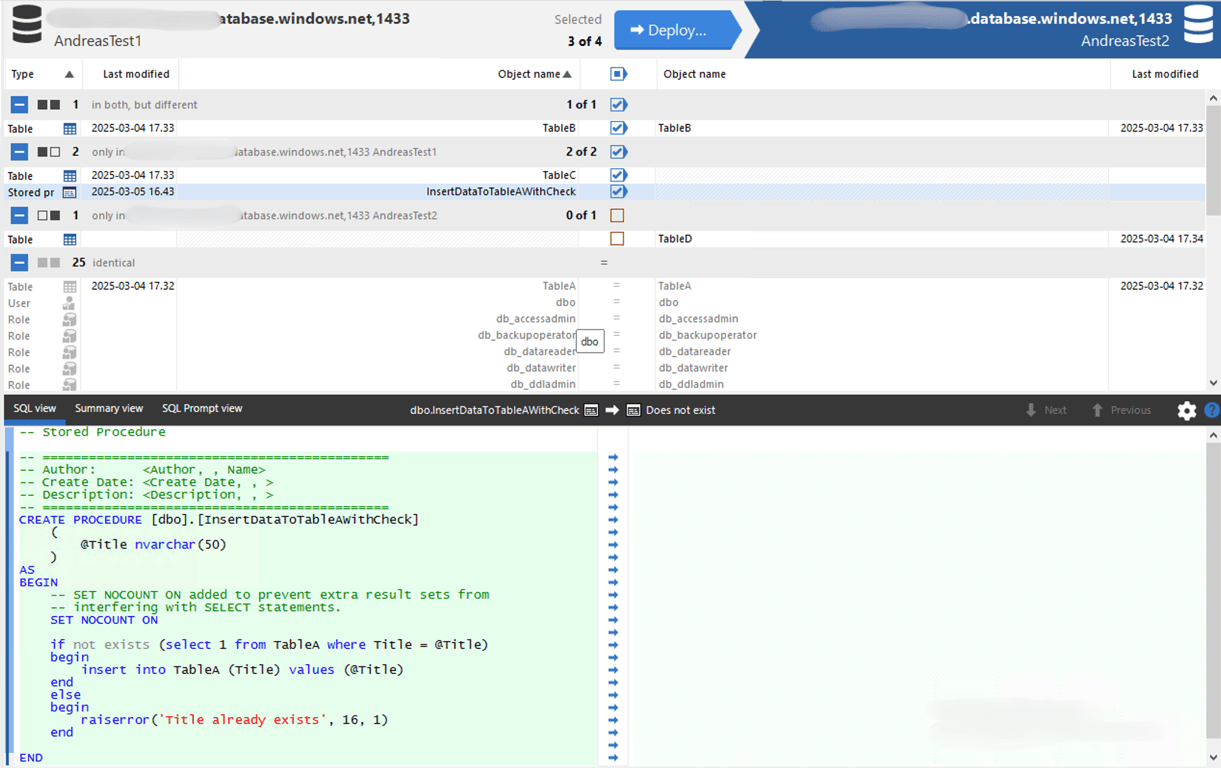
After you have reviewed all differences it is time to select the ones you want apply to the database on the right (AndreasTest2). In this case I select all differences except TableD (maybe it is unique for AndreasTest2).
Get NordVPN - the best VPN service for a safer and faster internet experience. Get up to 77% off + 3 extra months with a 2-year plan! Take your online security to the next level

This is an affiliate link. I may earn a commission when you click on it and make a purchase at no extra cost to you.
Click «Deploy»
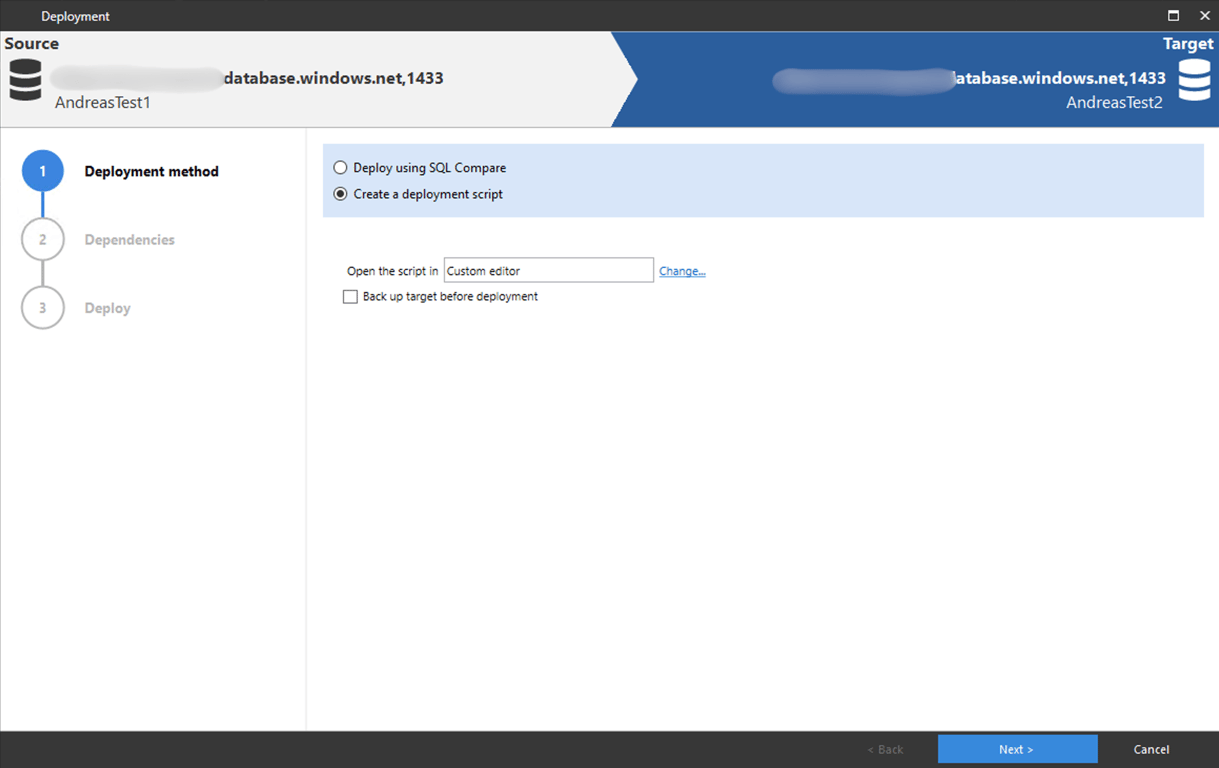
Now you have to decide on your method of deployment. For instant deployment choose «Deploy using SQL Compare». If you want to use the generated script in other ways (be it a deployment system, source control or deployment to multiple databases (RedGate Multiscript)) you will have to choose «Create a deployment script». You can also open the script in other programs, but I will show the built in editor.
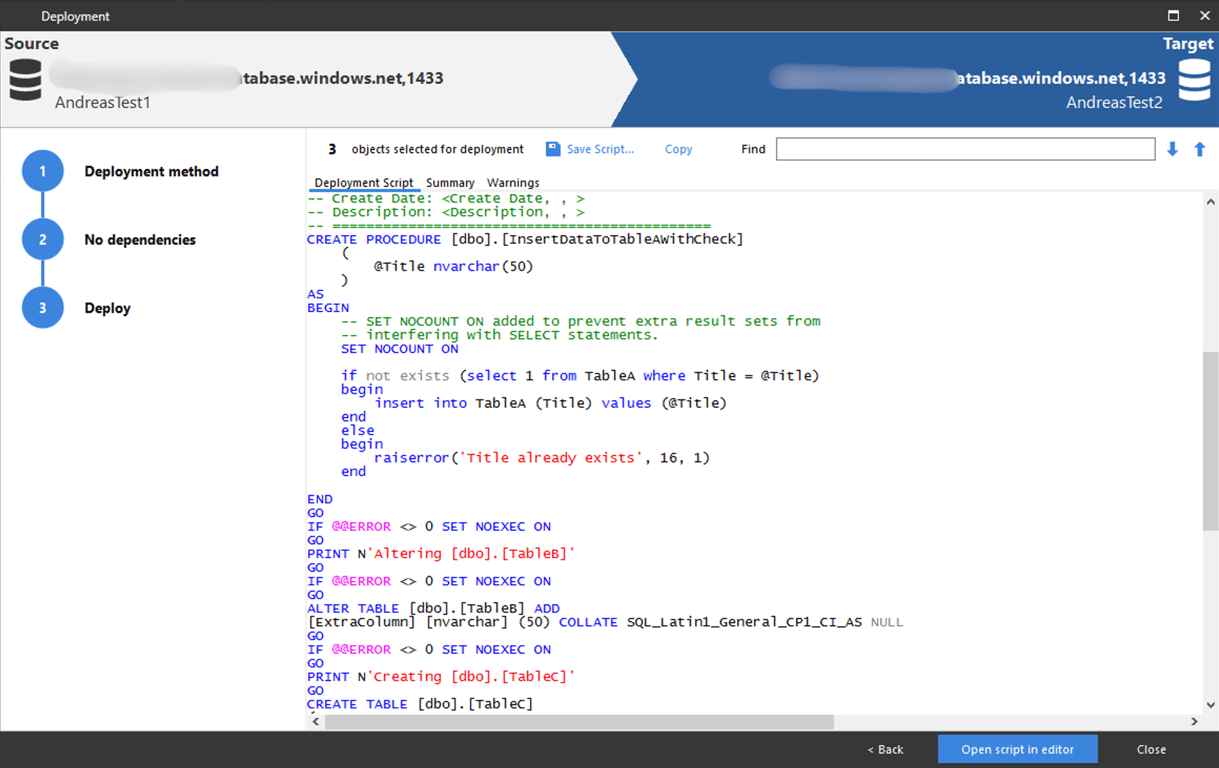
If there are any warnings (dropped data etc) you will see them first, if not it will show the «Deployment script». You can now review the script, as you should always do. If the generated SQL looks good you can copy for further use.
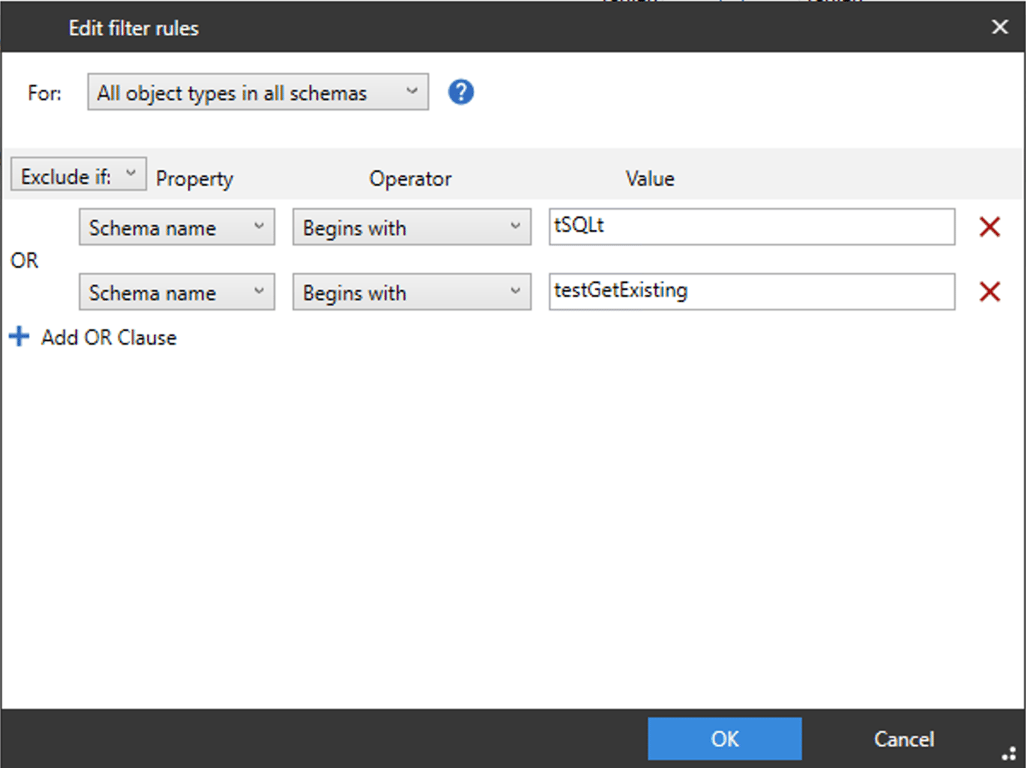
Tip: Seeing too many differences in objects? If you have different schema data (dbo, tSQLt) you can also filter on this. And many other things, just to narrow down the number of differences you see.
Summary
RedGate SQL Compare can save you a lot of time while working with databases and changes in schemas. Very simple to use. It can create upgrade scripts that you can use directly or in your CI/CD pipeline. It does cost almost €300, but if you do database work it is definitely worth it. You could also buy RedGate SQL Toolbelt, which contains more useful database tools and also contains the SQL Compare tool.
Get NordVPN - the best VPN service for a safer and faster internet experience. Get up to 77% off + 3 extra months with a 2-year plan! Take your online security to the next level
This is an affiliate link. I may earn a commission when you click on it and make a purchase at no extra cost to you.