I was recently reviewing some underperforming code. It was a very large and complex piece of code. It included running several queries in parallel using SemaphoreSlim. If you want to know more about why and how you can do that, check my article about it.
While reviewing the performance data, I noticed a recurring call taking far longer than it should have. Some of them where about 20 seconds, they should have been mere milliseconds. It was a query to select FirstOrDefault(x => x.Id == doc.Id). It did include several .Include, .ThenInclude and .AsSingleQuery(), but nothing too bad.
Get NordVPN - the best VPN service for a safer and faster internet experience. Get up to 77% off + 3 extra months with a 2-year plan! Take your online security to the next level

This is an affiliate link. I may earn a commission when you click on it and make a purchase at no extra cost to you.
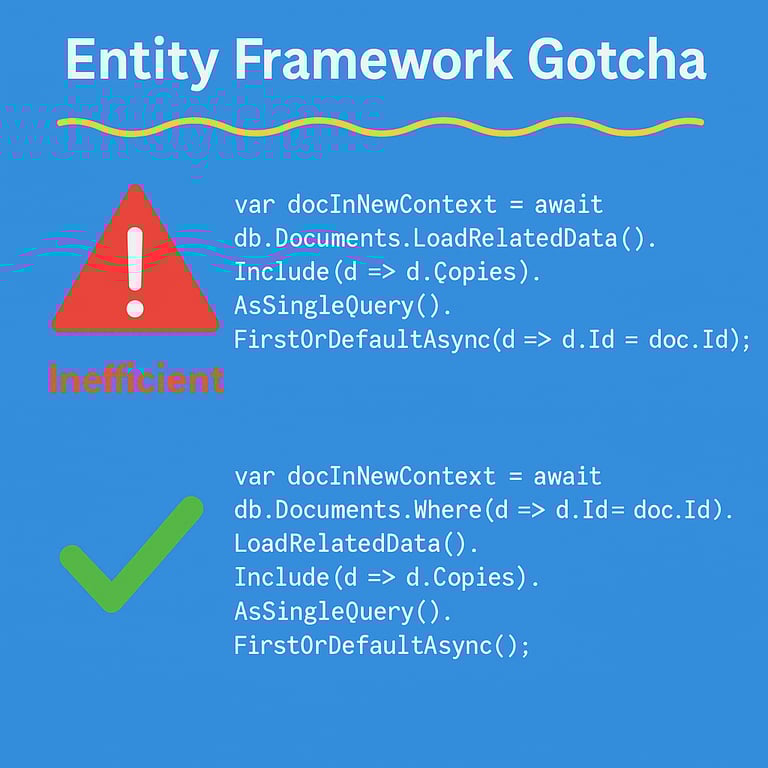
If you look at the example below I have a queryable extension method named LoadRelatedData(). This is just a bunch of Includes and ThenIncludes.
var docInNewContext = await db.Documents
   .LoadRelatedData()
   .Include(d => d.Copies)
   .AsSingleQuery()
   .FirstOrDefaultAsync(d => d.Id == doc.Id);
I always thought that .net and Entity Framework worked miracles and created the perfect SQL code behind the scenes. How wrong was I?
Get NordVPN - the best VPN service for a safer and faster internet experience. Get up to 77% off + 3 extra months with a 2-year plan! Take your online security to the next level

This is an affiliate link. I may earn a commission when you click on it and make a purchase at no extra cost to you.
Entity Framework does create a good translation of the query, but it can sometimes need a little bit of help. I discovered that by introducing a .Where(d => d.Id == doc.Id) right after the db.Documents entity I got a better and tighter query plan. View the changes I made below:
 var docInNewContext = await db.Documents
   .Where(d => d.Id == doc.Id)
   .LoadRelatedData()
   .Include(d => d.Copies)
   .AsSingleQuery()
   .FirstOrDefaultAsync();
After moving the logic for finding data for a specific document my query executed in mere milliseconds. So while EF Core is smart enough to optimize this into a single efficient SQL query, putting the filter earlier can help EF generate a tighter query plan, especially if the data set is large. Hope this will save someone else from making my mistake.
Get NordVPN - the best VPN service for a safer and faster internet experience. Get up to 77% off + 3 extra months with a 2-year plan! Take your online security to the next level
This is an affiliate link. I may earn a commission when you click on it and make a purchase at no extra cost to you.